Cheil-Agent
Cheil Delta
Cheil Delta compares two versions of a creative/marketing file (PDF or image), detects what changed using deterministic diffing, has an AI pipeline explain the changes in plain language, and — after a human reviews and confirms every change — generates a PowerPoint review deck.
The AI never generates the presentation directly, never invents changes on its own, and never gets treated as approved until a human confirms it. See docs/known-gaps.md for what’s simplified in this build versus a full enterprise deployment, and why.
Screenshots
All screens below are real captures from a running instance, not mockups.
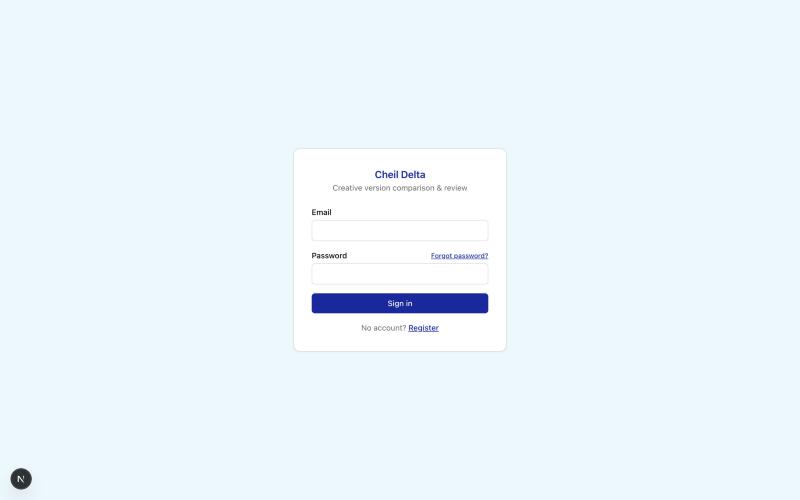 Sign in — email/password auth with self-service password reset Sign in — email/password auth with self-service password reset |
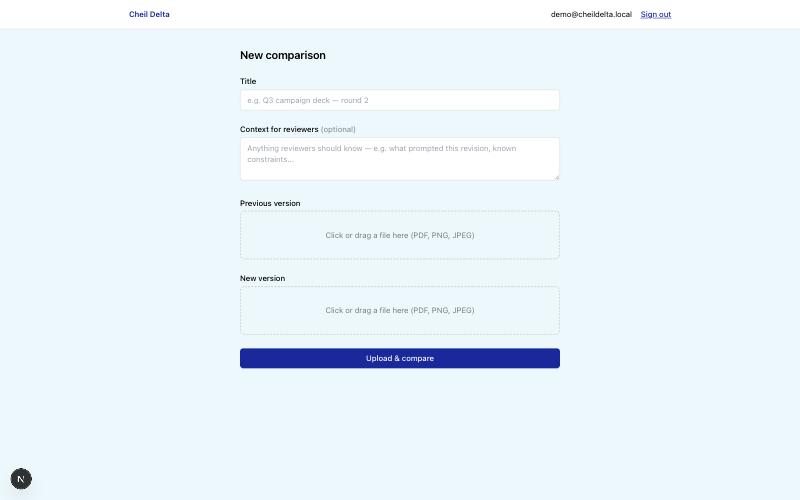 Upload two versions of a file to compare Upload two versions of a file to compare |
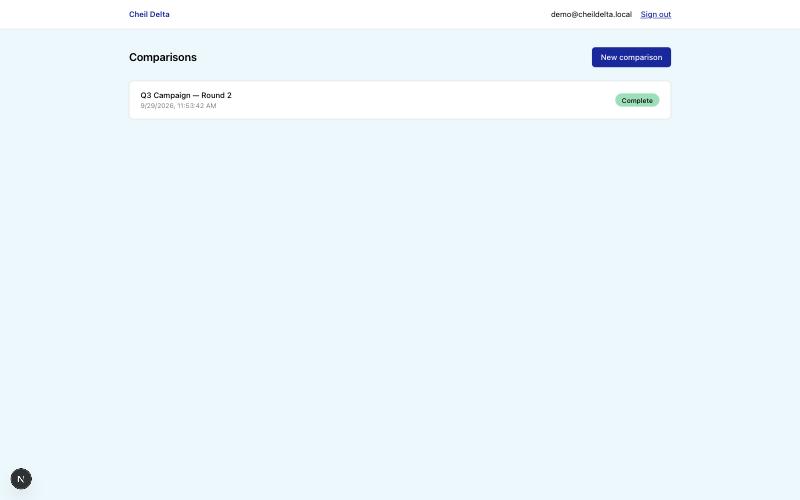 Dashboard — every comparison at a glance Dashboard — every comparison at a glance |
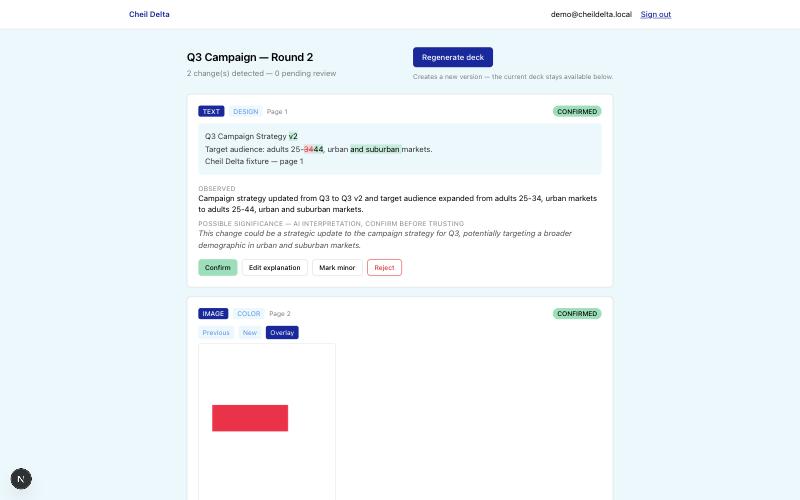 Review — AI-flagged changes, confirmed or corrected by a human before anything ships Review — AI-flagged changes, confirmed or corrected by a human before anything ships |
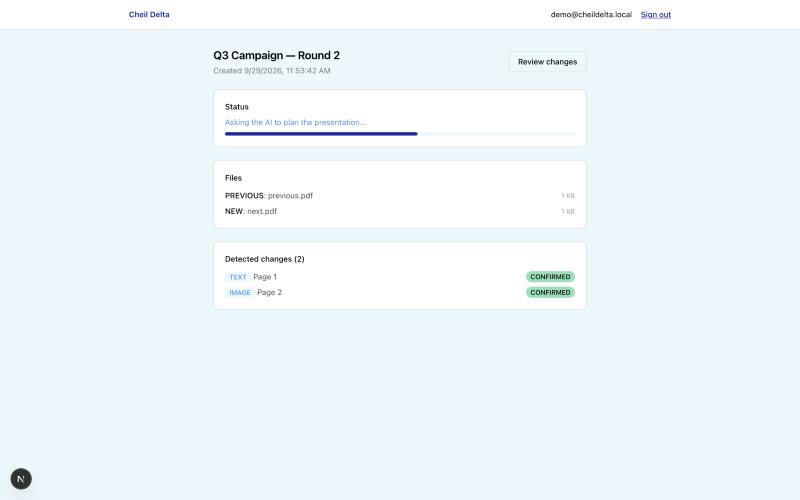 Live progress — a real percentage-based bar while the AI works Live progress — a real percentage-based bar while the AI works |
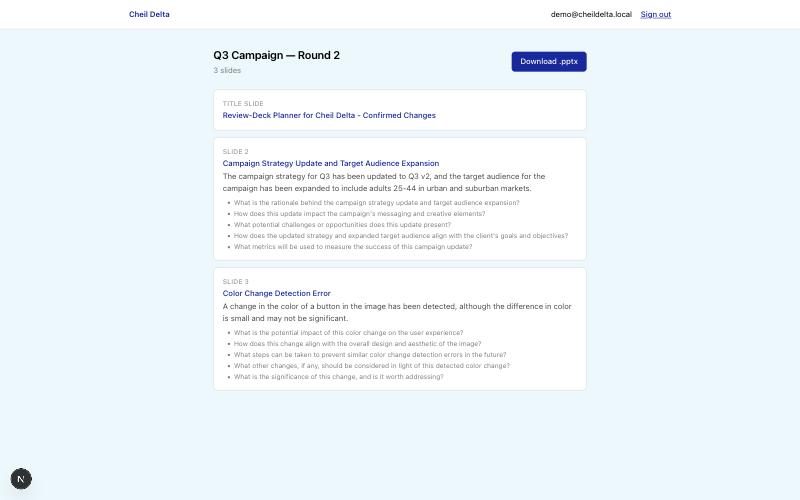 Generated deck — branded, versioned, ready to present Generated deck — branded, versioned, ready to present |
How it works
Upload previous + new file (browser)
      -> Deterministic diff pipeline (PDF render, text extract, OCR fallback, text/image diff)
      -> AI pipeline: Classifier -> Explainer -> Relationship Mapper (stages 1-3, automatic)
      -> Human review: confirm / edit / reject / mark minor every detected change
      -> AI pipeline: Review-Deck Planner (stage 4, only runs post-approval)
      -> Deterministic .pptx generation
      -> Download
All of the above (diffing + all 4 AI stages + deck generation) runs as background jobs via graphile-worker, with the UI polling for status.
Prerequisites
- Node.js 20+
- PostgreSQL 16+ (local via Docker, or any reachable instance)
Setup
cp .env.example .env
Fill in .env:
DATABASE_URL— defaults to the docker-compose Postgres belowAUTH_SECRET— generate withnpx auth secretENCRYPTION_KEY— generate withopenssl rand -hex 32(optional but recommended; without it, uploaded files are stored unencrypted at rest)AI_PROVIDER=mockto run fully offline with no API key,AI_PROVIDER=openai/AI_PROVIDER=anthropic+AI_API_KEYfor real paid AI calls,AI_PROVIDER=ollamafor a free local model (requiresollama serverunning and a vision model pulled, e.g.ollama pull llava; no key needed), orAI_PROVIDER=fallbackto chain providers and fail over to the next one if a call errors (e.g.AI_FALLBACK_ORDER=anthropic,openaiwithANTHROPIC_API_KEYandOPENAI_API_KEYboth set). Mock has no real image understanding — use one of the others if you need the AI to actually interpret image content (e.g. to catch a visual element that’s present in one version and missing in the other, not just moved or recolored). Of the non-mock options,ollamais free but noticeably less reliable — see docs/known-gaps.md for specifics
Start Postgres:
docker compose up -d
Install dependencies and set up the database:
npm install
npm run db:migrate
Run the app and the background worker (two processes):
npm run dev      # Next.js app on http://localhost:3000
npm run worker   # graphile-worker — required for uploads to actually process
Register the first account at /register — it’s automatically granted the ADMIN role.
Project structure
src/app/— Next.js App Router pages and API routessrc/lib/diff/— deterministic PDF rendering, text extraction, OCR fallback, text/image diffingsrc/lib/ai/— the 4-stage AI pipeline: schemas (schemas/), stage implementations (stages/), the orchestrator (pipeline-orchestrator.ts), the provider abstraction (provider.ts,providers/), and the scoped, read-only context-building functions intools/src/lib/deck/— deterministic.pptxgeneration from the AI’s approved slide plansrc/lib/jobs/— graphile-worker task definitions and the worker entry pointsrc/lib/storage/— local-disk storage adapter with optional AES-256-GCM encryption at restprisma/schema.prisma— full data model
Scripts
| Command | Purpose |
|---|---|
npm run dev |
Start the Next.js dev server |
npm run worker |
Start the background job worker (required — uploads won’t process without it) |
npm run build / npm start |
Production build and start |
npm run typecheck |
tsc --noEmit |
npm run lint |
ESLint |
npm run db:migrate |
Apply Prisma migrations (dev) |
npm run db:studio |
Open Prisma Studio |
npm run seed:fixtures |
Generate two small fixture PDFs into fixtures/ for manual testing |
Testing the whole flow locally
npm run seed:fixtures
Then, signed in, create a new comparison and upload fixtures/previous.pdf as the previous
version and fixtures/next.pdf as the new version. With AI_PROVIDER=mock (the default) this
requires no API key and produces deterministic, context-aware fake explanations — real text and
image diffs, fake AI judgment — so the whole pipeline is testable offline.
Deploying (free, no payment method required)
This path runs on Vercel’s free Hobby tier + a free-tier Postgres provider + this repo’s own
GitHub Actions cron as a catch-up sweep — no card on file anywhere. See
docs/known-gaps.md for how this actually works (there’s no long-running
worker process on this path) and its real limitations (serverless time limits, ephemeral file
storage). If you’d rather run a real always-on worker process (more robust, but the platforms that
support it — Railway, Render, Fly.io — now require a payment method even for free-tier usage), skip
this section and deploy npm run build && npm start plus npm run worker there instead.
- Database: create a free Postgres instance on Supabase or Neon (no card required for either’s free tier). Copy the connection string.
- Deploy the app: import this GitHub repo into Vercel (free, sign in
with GitHub, no card required for Hobby). Set these environment variables in the Vercel project
settings:
DATABASE_URL— from step 1AUTH_SECRET— generate withnpx auth secretENCRYPTION_KEY— generate withopenssl rand -hex 32CRON_SECRET— any random string; you’ll reuse it in step 3AI_PROVIDER=mock(recommended for this path — see known-gaps.md for why a real provider is riskier here specifically)APP_URL— your Vercel deployment URL (fill in after the first deploy, e.g.https://your-project.vercel.app)
- Run migrations against the new database (one-time, from your machine, pointed at the
deployed
DATABASE_URL):DATABASE_URL="<your-supabase-or-neon-url>" npx prisma migrate deploy - Enable the catch-up cron: in the GitHub repo, go to Settings → Secrets and variables →
Actions, and add two repository secrets:
APP_URL— same value as step 2CRON_SECRET— same value as step 2
.github/workflows/process-jobs-cron.ymlwill start hitting/api/cron/process-jobsevery ~5 minutes automatically — this is only a safety net (see known-gaps.md); most jobs are picked up immediately without waiting for it. - Register the first account at
/registeron your deployed URL — it’s automatically grantedADMIN, same as local dev.
Known gaps
This is a from-scratch build made to run standalone (no cloud storage account, no enterprise SSO, no provisioned hosting). See docs/known-gaps.md for the full list of what’s simplified versus a full production deployment, and what a real launch still needs.